 NordIQ / Loki Studio
- Features
- Pricing
- Support
- About
- Download Free
NordIQ / Loki Studio
Batch upload with scheduling. Video, metadata, thumbnail, captions. Everything goes up together.
You've got 20 videos ready. Are you really going to upload each one manually, copy-paste the description, set the thumbnail, pick the playlist, and schedule the date? Twenty times? Loki bundles everything and uploads in one batch. Set it. Walk away.
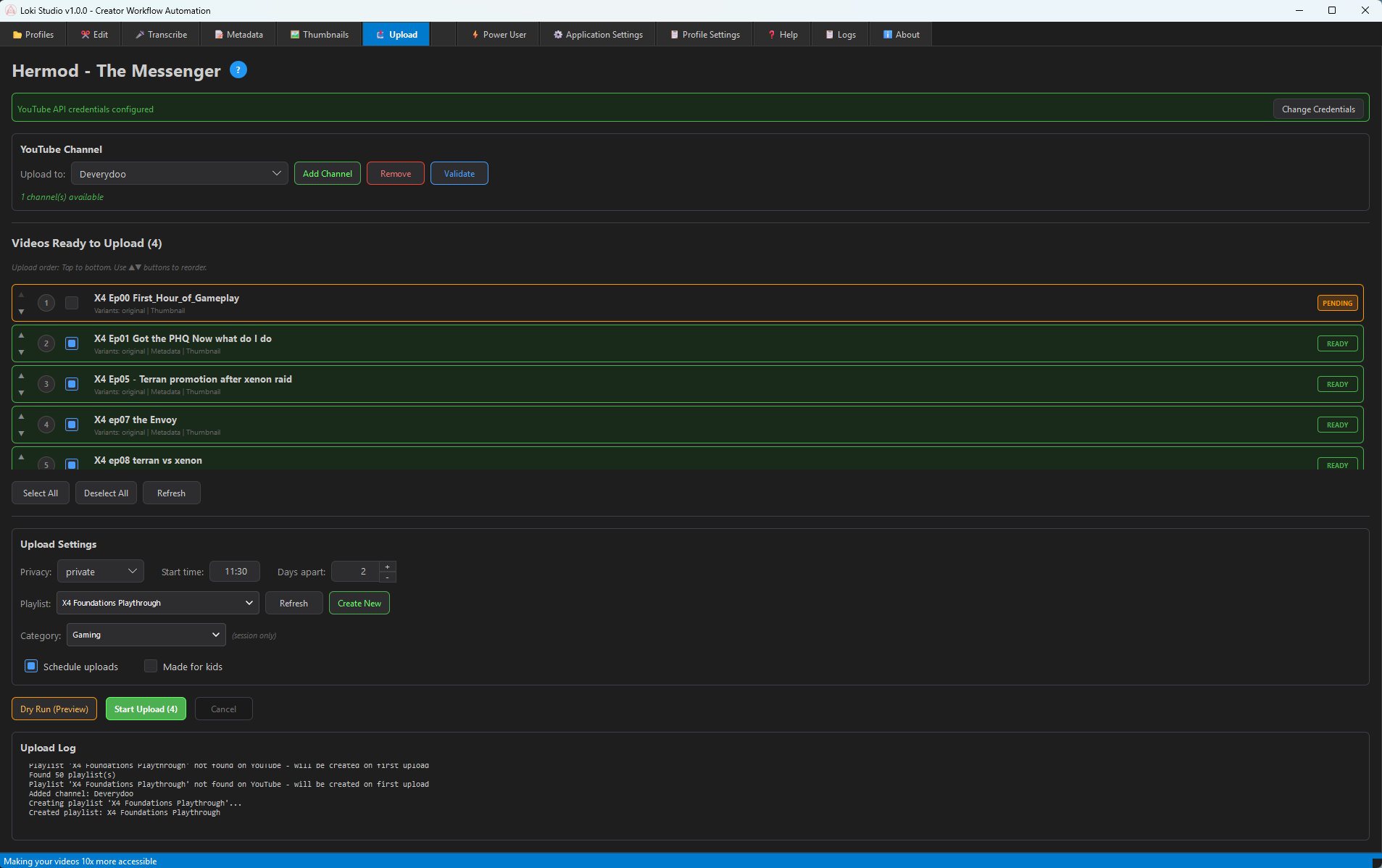
Reorder videos in your upload queue. Move items up or down. Upload in exactly the order you want.
Set start time and days between uploads. Schedule a week's worth of content in one session.
Manage multiple YouTube channels. Switch between them or upload to different channels in one batch.
Assign videos to existing playlists or create new ones. Organize your content as it uploads.
See exactly what will be uploaded without actually uploading. Catch mistakes before they go live.
Set videos as private, unlisted, or public. Perfect for review workflows before going live.
Loki uses YouTube's official OAuth 2.0 flow. Your credentials are stored locally and never sent anywhere except directly to Google. You can revoke access anytime from your Google account.
Add your YouTube channel with OAuth authentication.
Choose videos that are ready (have metadata + thumbnails).
Set privacy, playlist, schedule, and other options.
Preview what will be uploaded. Fix any issues.
Hit start. Walk away. Loki handles the rest.
Your content gets published on time, every time. While you're off creating more.